SOFTWARE
Model TZ PROFESSIONAL
The ultimate navigation solution for professionals who demand excellence at sea!
TZ PROFESSIONAL is advanced marine navigation TIMEZERO software for professional mariners, offering chart plotting, weather forecasts, and full integration with FURUNO instruments.
REF: MAX-TZPRO
More options:
TZ PROFESSIONAL
- FEATURES
- ACCESSORIES AND SPARE PARTS
- VIDEOS
- RESOURCES
- SPECIFICATIONS
Advanced TIMEZERO Chart Display
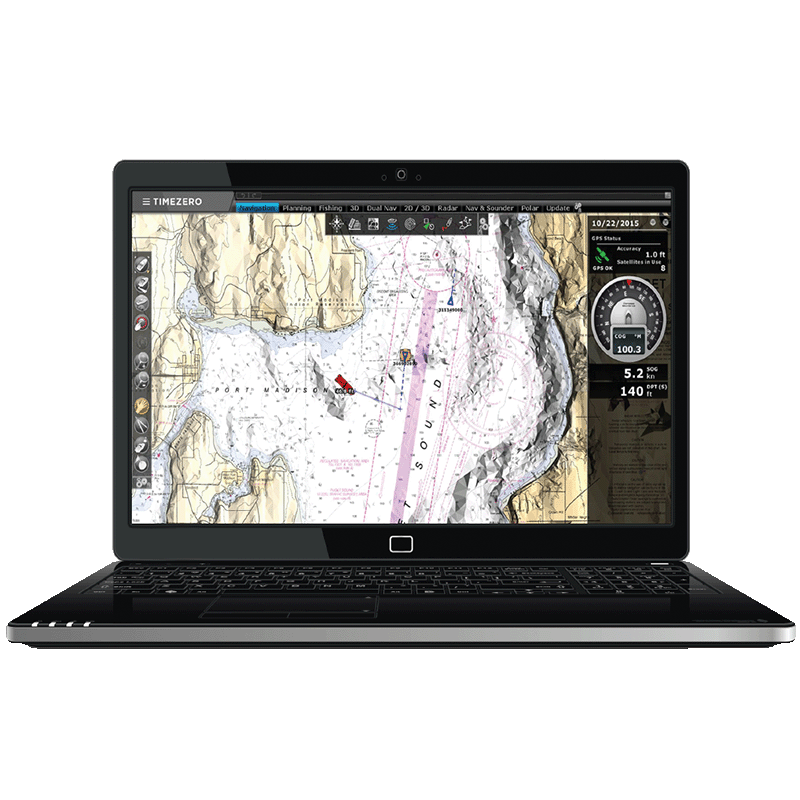
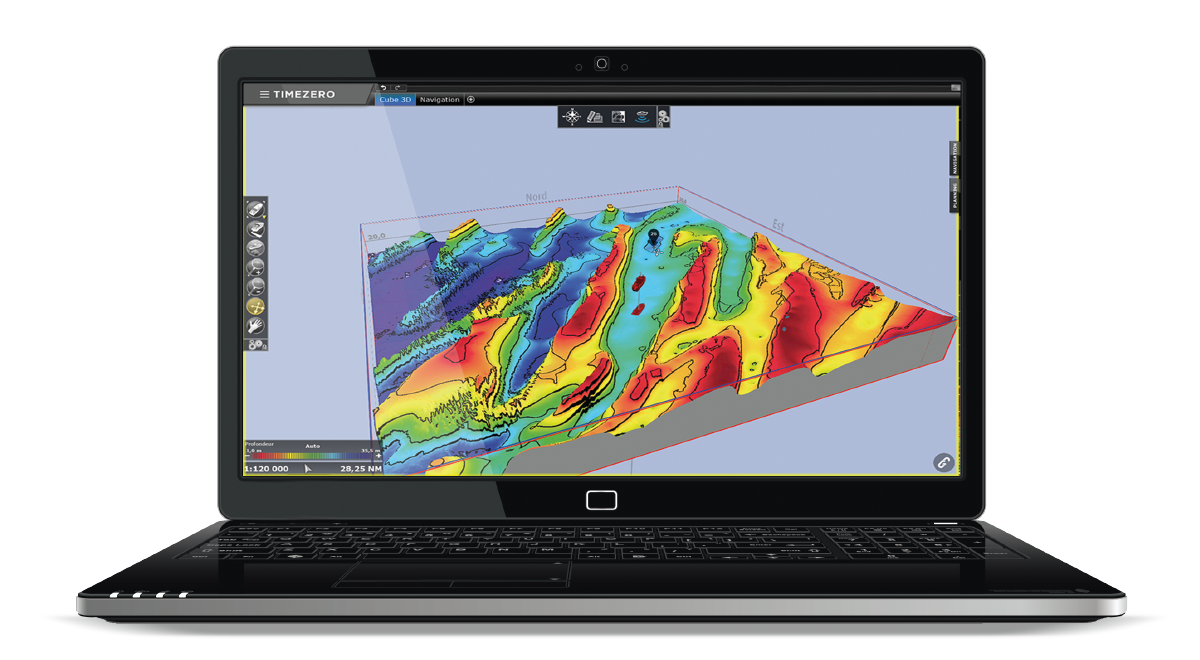
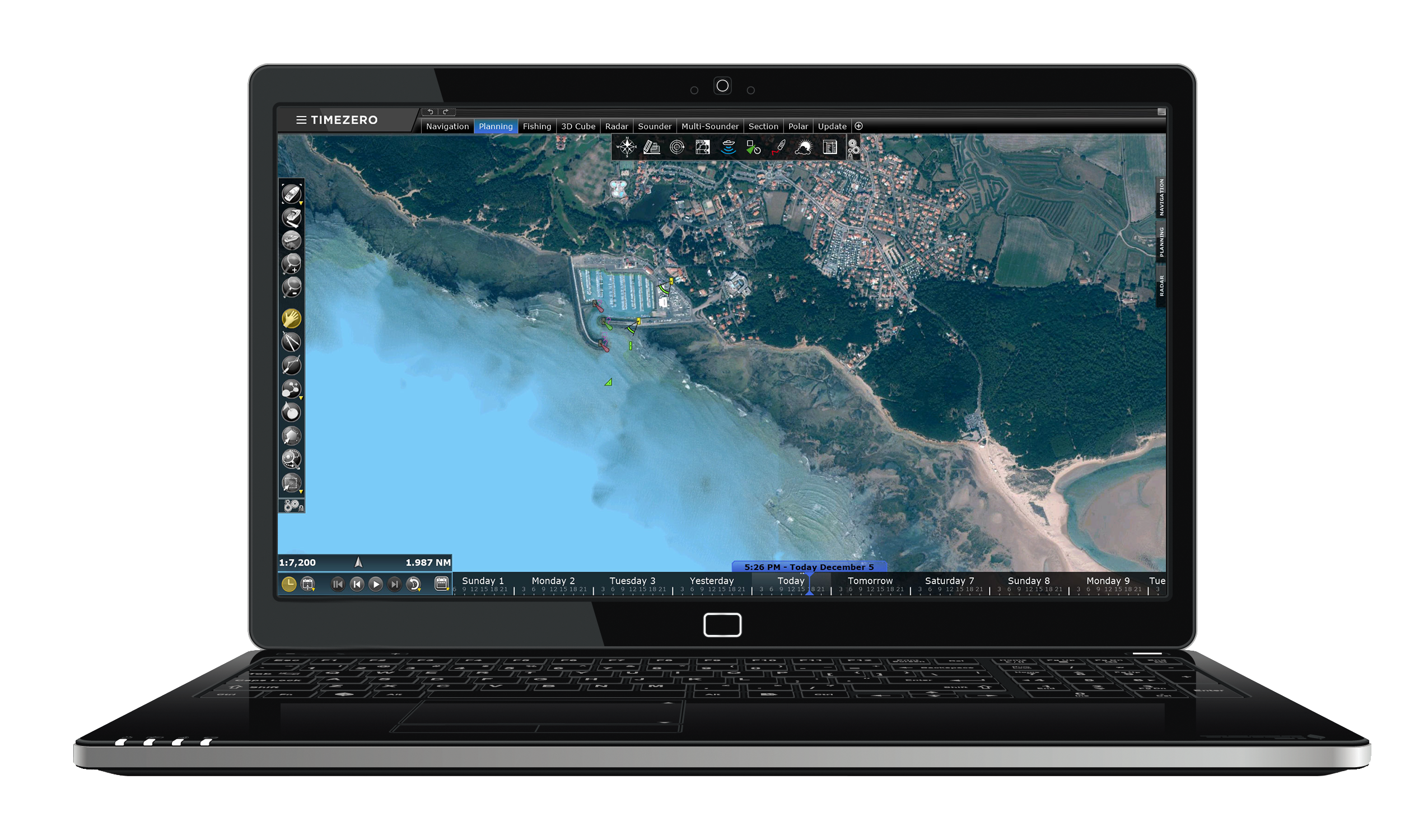
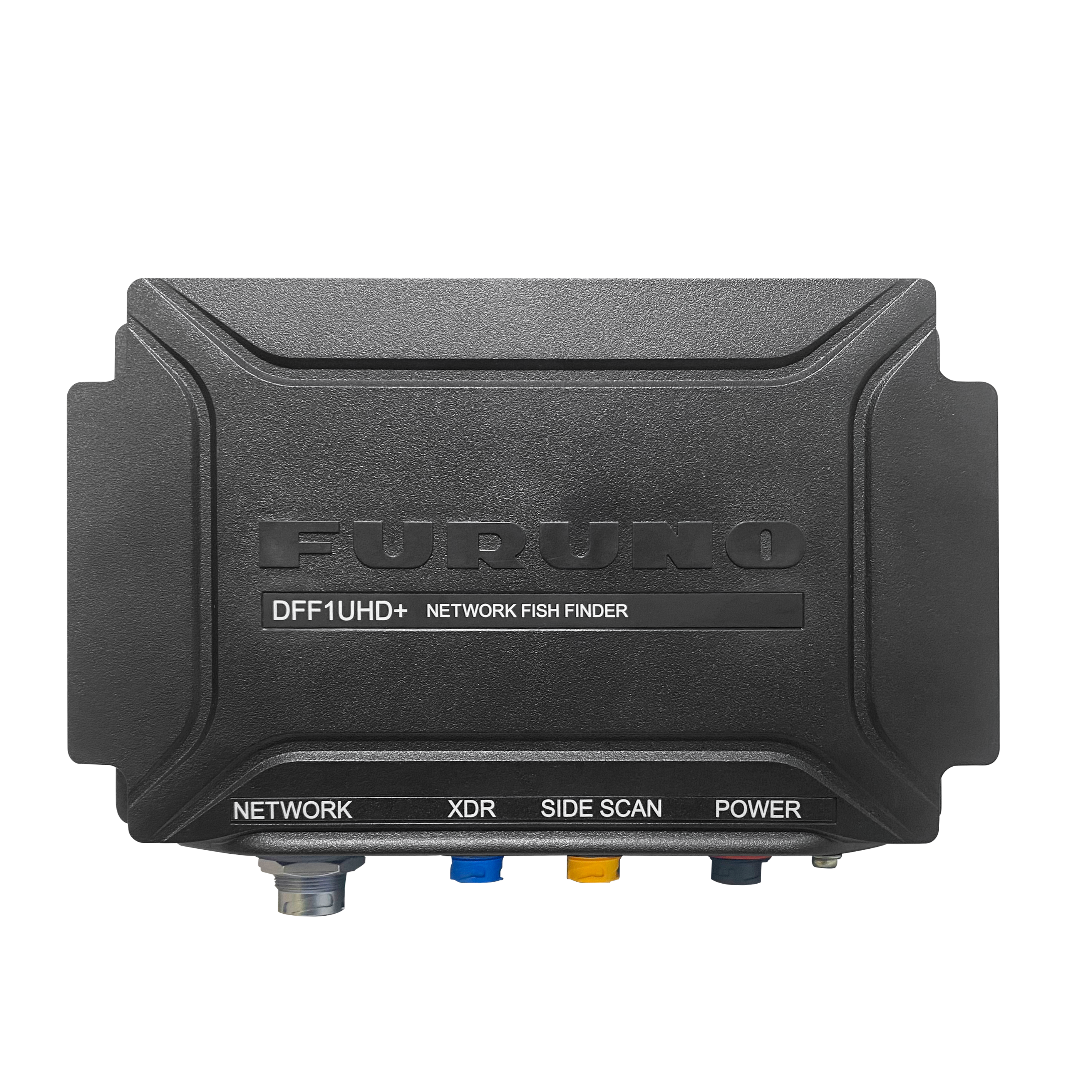
The TIMEZERO Chart Engine delivers a smooth and seamless chart display with no redraw time, whether you are working in 2D or 3D. Its exclusive PhotoFusion technology blends high-resolution satellite photos with raster or vector charts to improve coastal detail and readability. Land areas are shown using satellite imagery, while deeper waters reveal underlying chart information, ensuring clear and intuitive visualisation for professional navigation.
Marine Weather & Forecast Tools
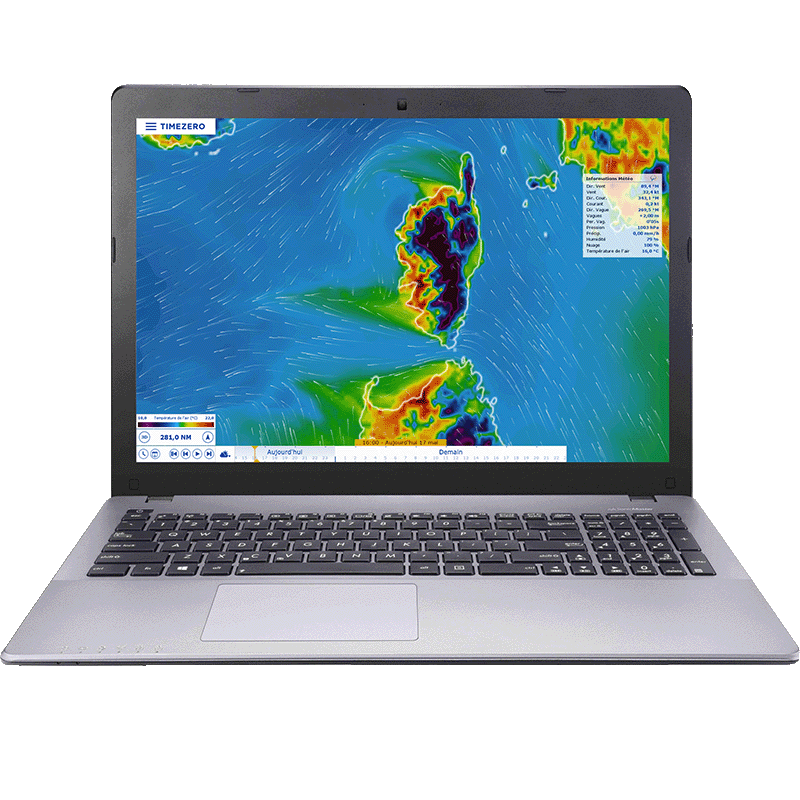
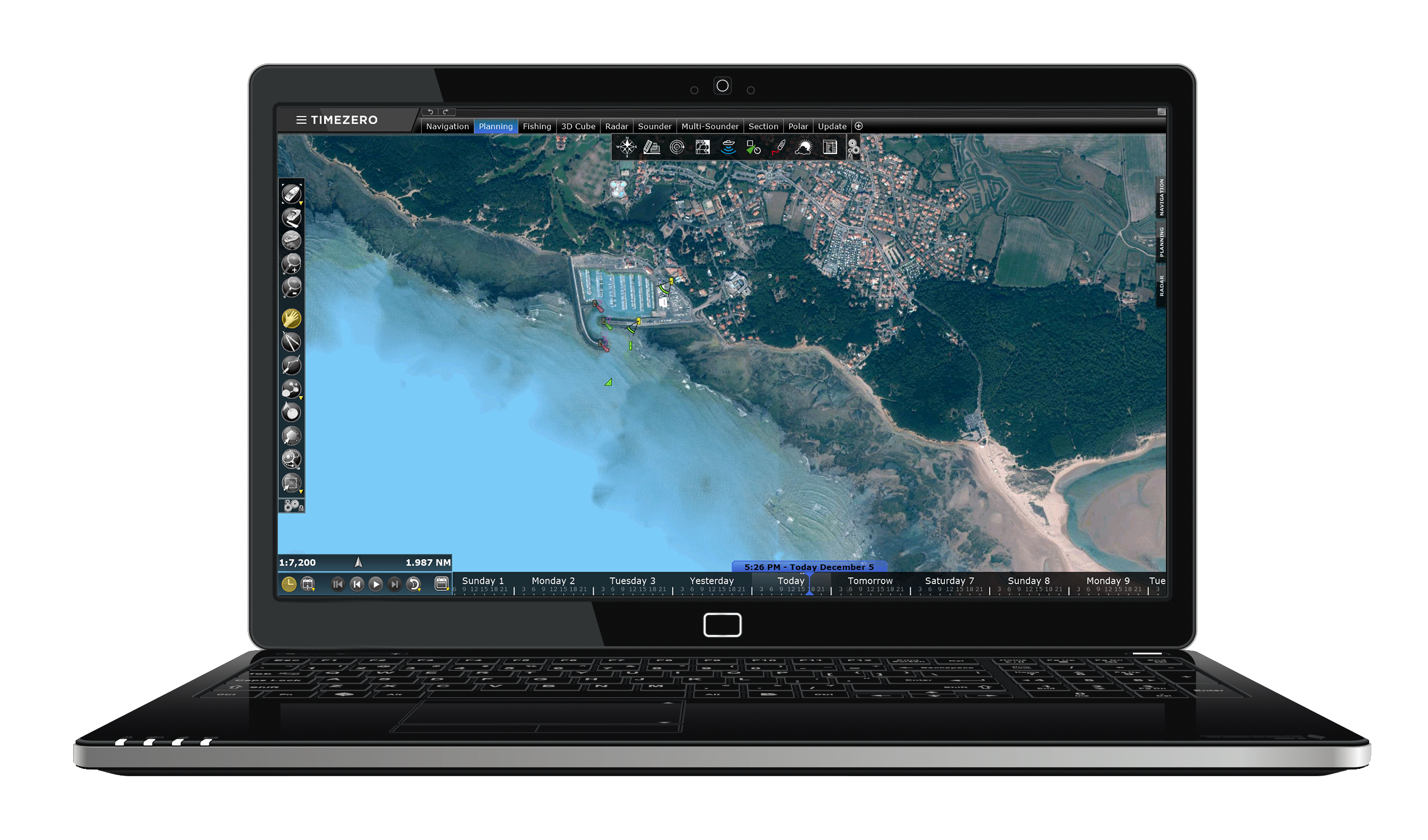
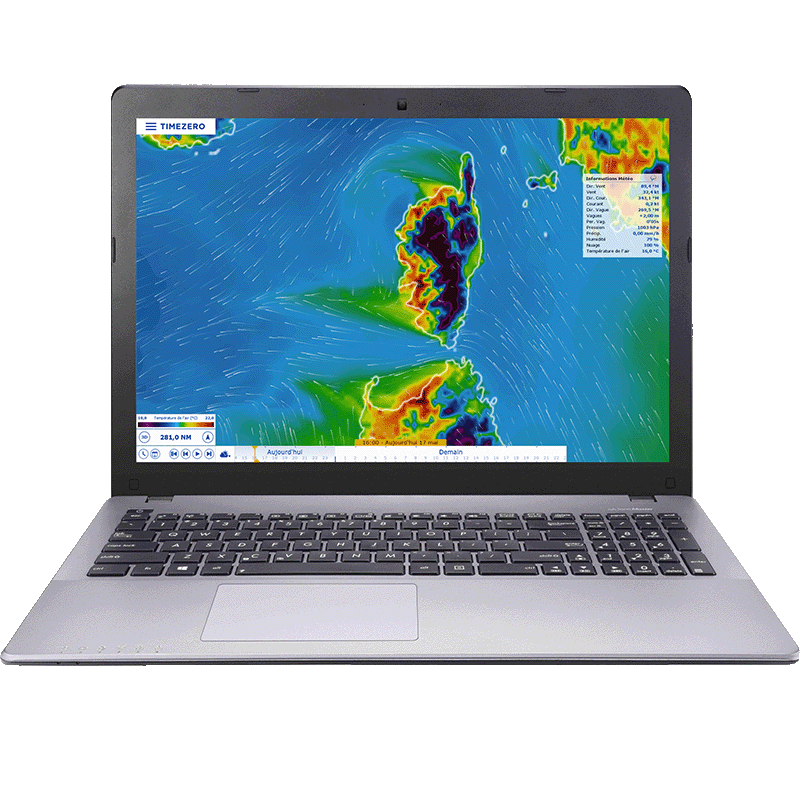
TZ Professional includes a built-in weather data service offering free worldwide forecasts (wind, waves, pressure, rain, clouds, temperature) up to 15 days ahead. Forecasts data can be downloaded via internet, Iridium Go or email, then displayed and animated directly on charts. This helps captains anticipate changing conditions, plan safer passages and make informed decisions when navigating coastal or offshore waters.
2D Seabed Profile Window
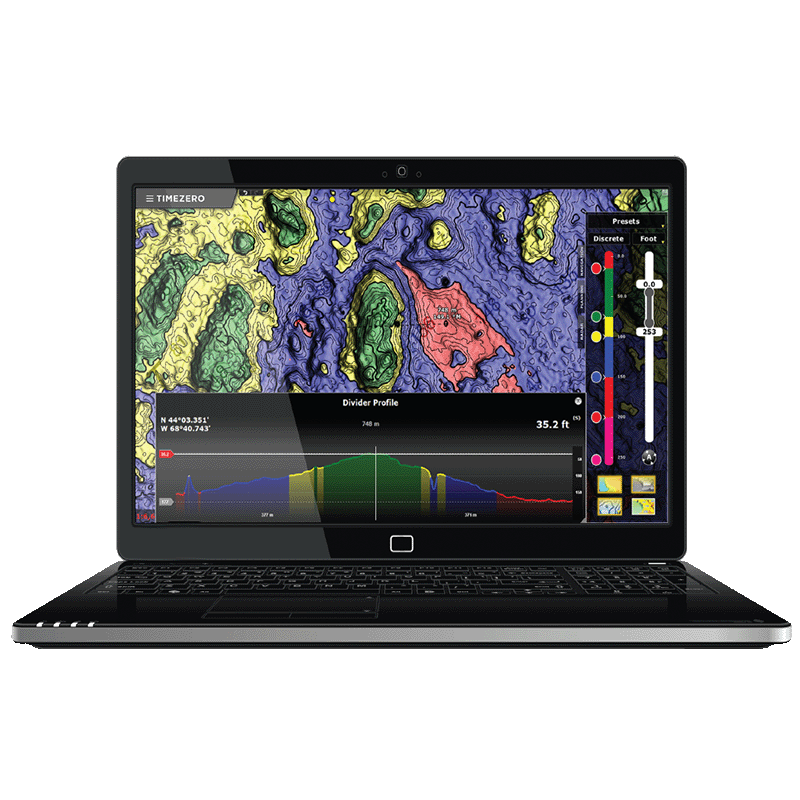
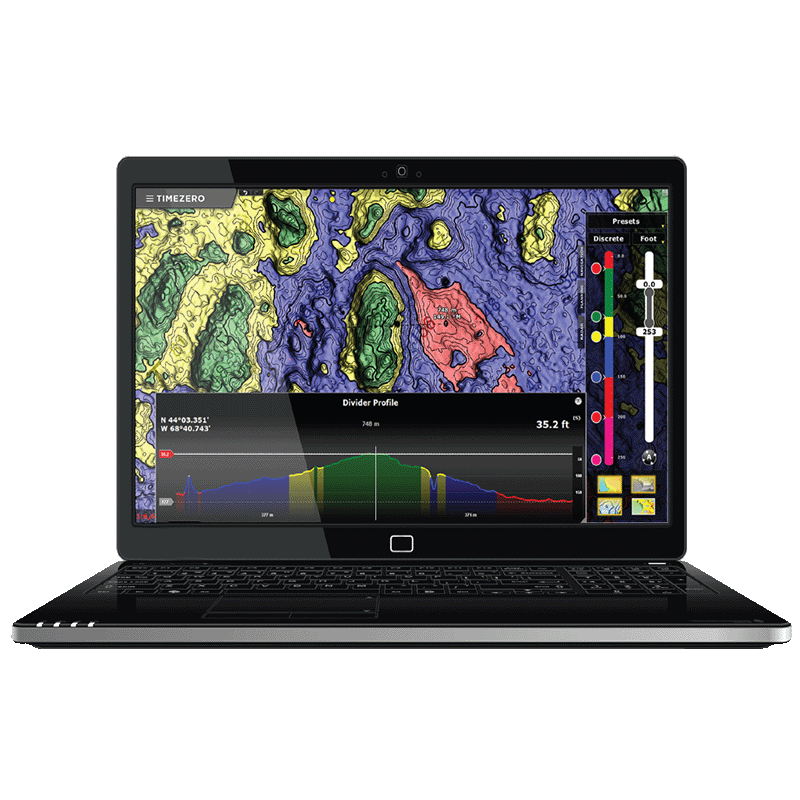
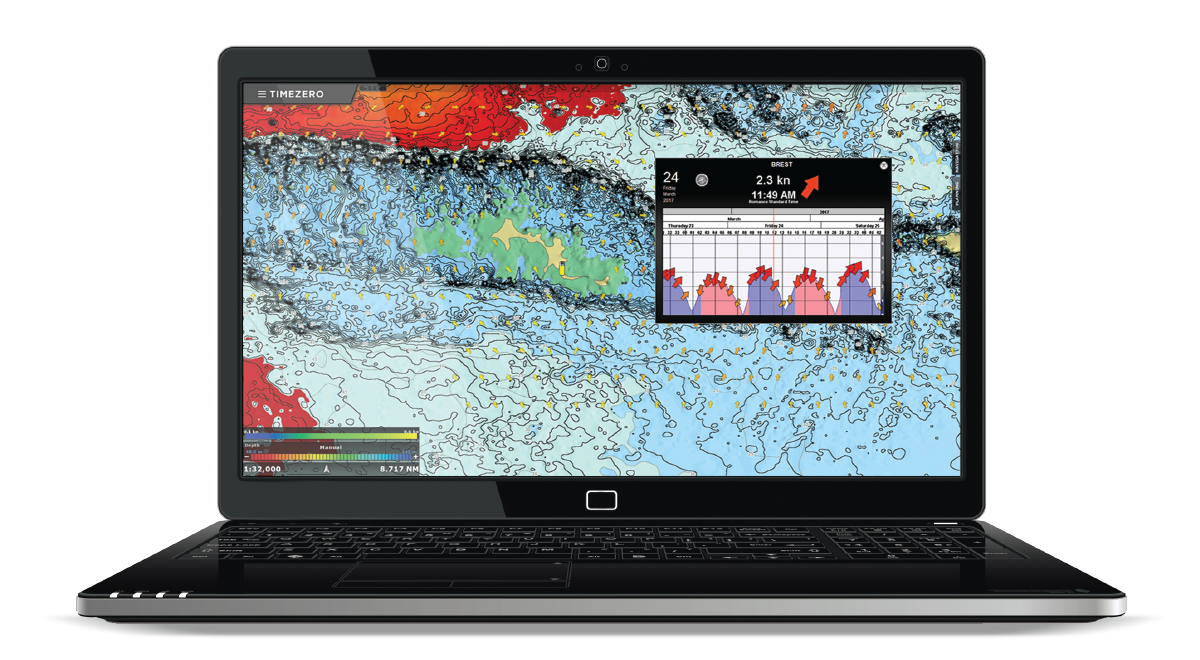
The Profile Window in TZ PROFESSIONAL displays a 2D depth-profile view along any previously recorded track or drawn divider line—using chart or 3D database bathymetry data. As you move the cursor over the profile, the corresponding location is shown on the chart, and you can add marks directly from the profile view. This tool helps you inspect seabed variations with high precision, revealing hazards such as wrecks or rocks and supporting safer navigation planning.
Advanced Professional User Interface
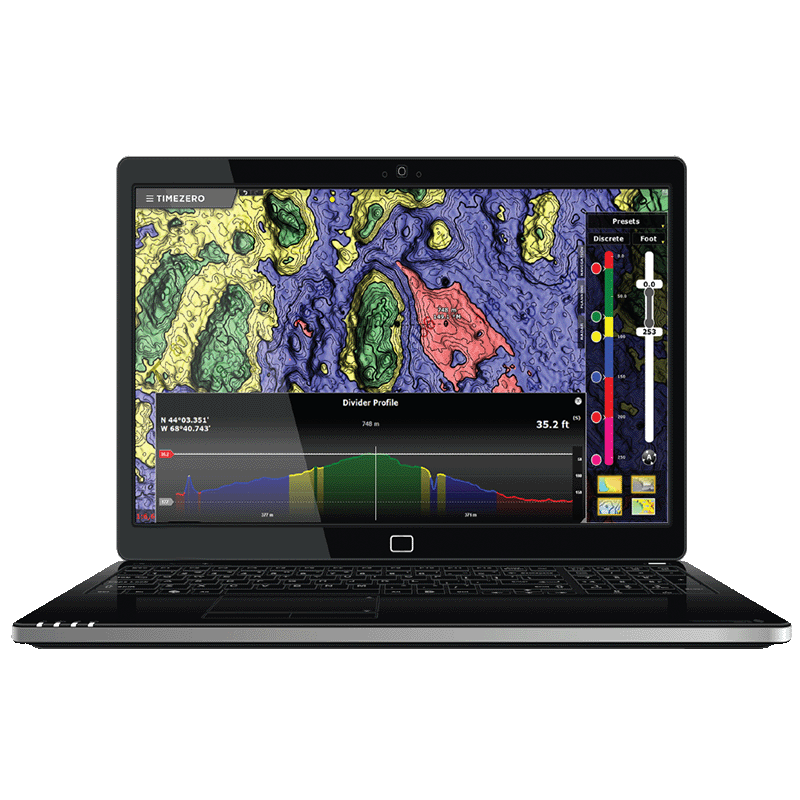
TZ PROFESSIONAL features an advanced, intuitive user interface designed for professional maritime navigation. With customizable workspaces, toolbars, ribbons and NavData panels, you can adapt the layout to your workflow and quickly access core data. The interface includes day, dusk and night modes for optimal readability in any lighting. Workspace configurations can be saved and recalled, ensuring efficient navigation management across missions or vessels.
Route Planning and Safety Check
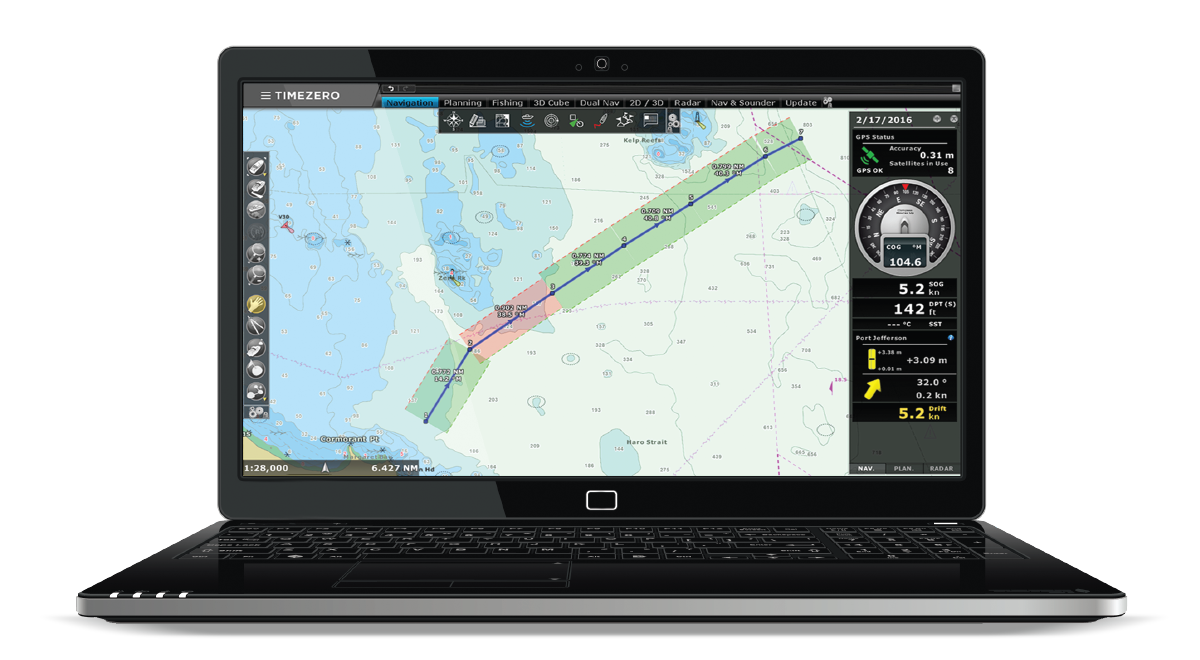
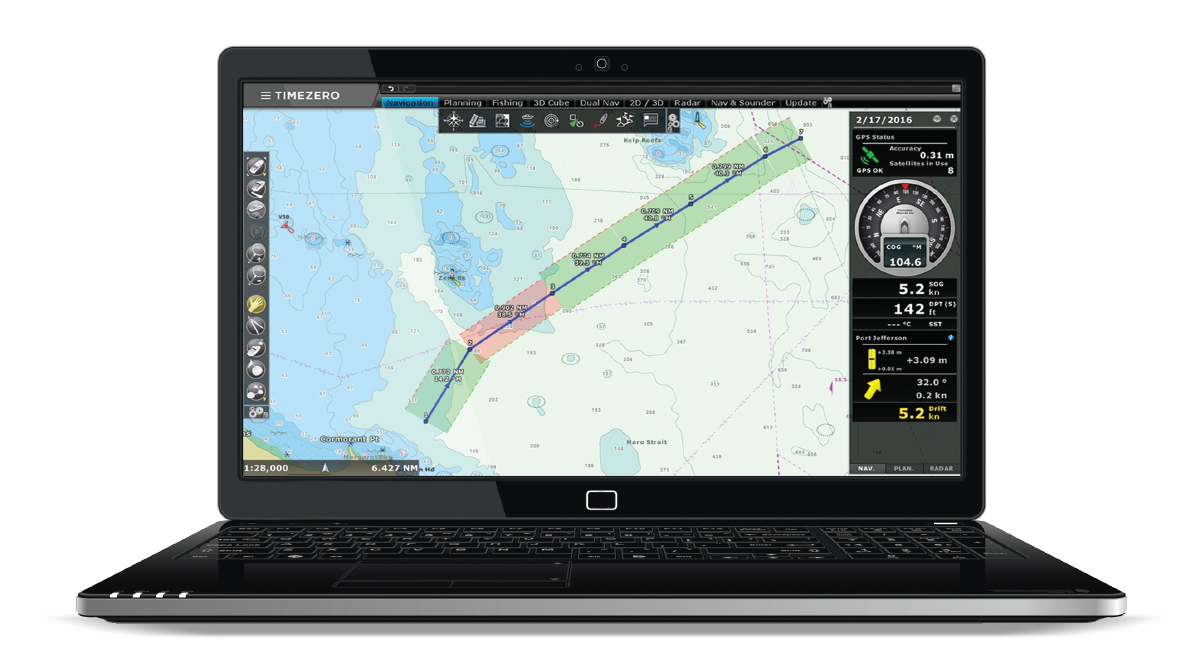
TZ PROFESSIONAL provides complete route management tools that allow you to create, edit and organize routes directly on the chart. Users can view tide and current information along the route to help select the best departure time. A safety check highlights each leg in green or red according to depth limits you define, making it easy to identify unsafe areas and plan passages with greater confidence for professional navigation.
Secure Cloud Sync Across Platforms
TZ PROFESSIONAL supports the TZ Cloud service, which automatically saves and synchronizes your navigation data—such as routes, marks, boundaries, annotations and photos—whenever an Internet connection is available. This real-time synchronization keeps your information securely backed up and shared across all TIMEZERO platforms and com
Ocean-O Marine Forecast Layers
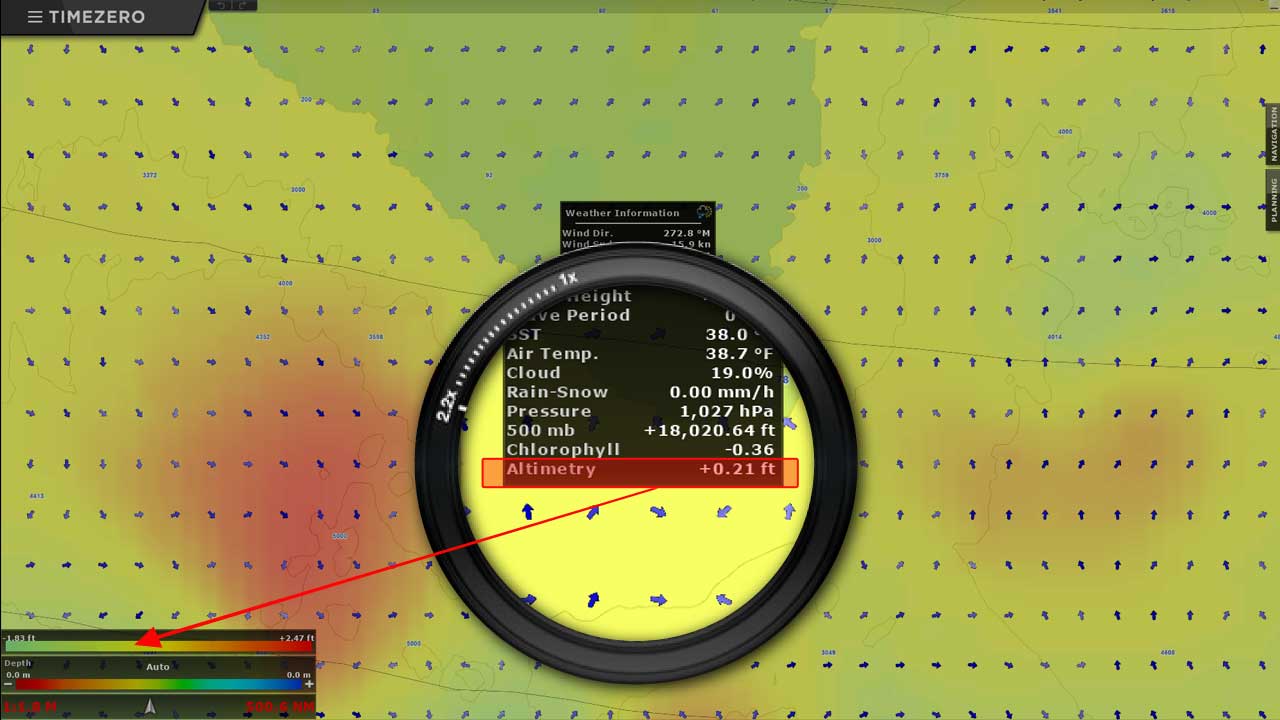
The Ocean-O service in TZ PROFESSIONAL provides access to oceanographic forecasts that can be downloaded and displayed directly on your charts. It offers essential data such as altimetry, sea surface temperature and ocean currents to help you monitor large-scale ocean conditions. With these regularly updated layers, you can better understand water movements and temperature patterns, supporting safer decisions and more informed navigation during offshore operations.
AIS/ARPA Real-Time Target Display
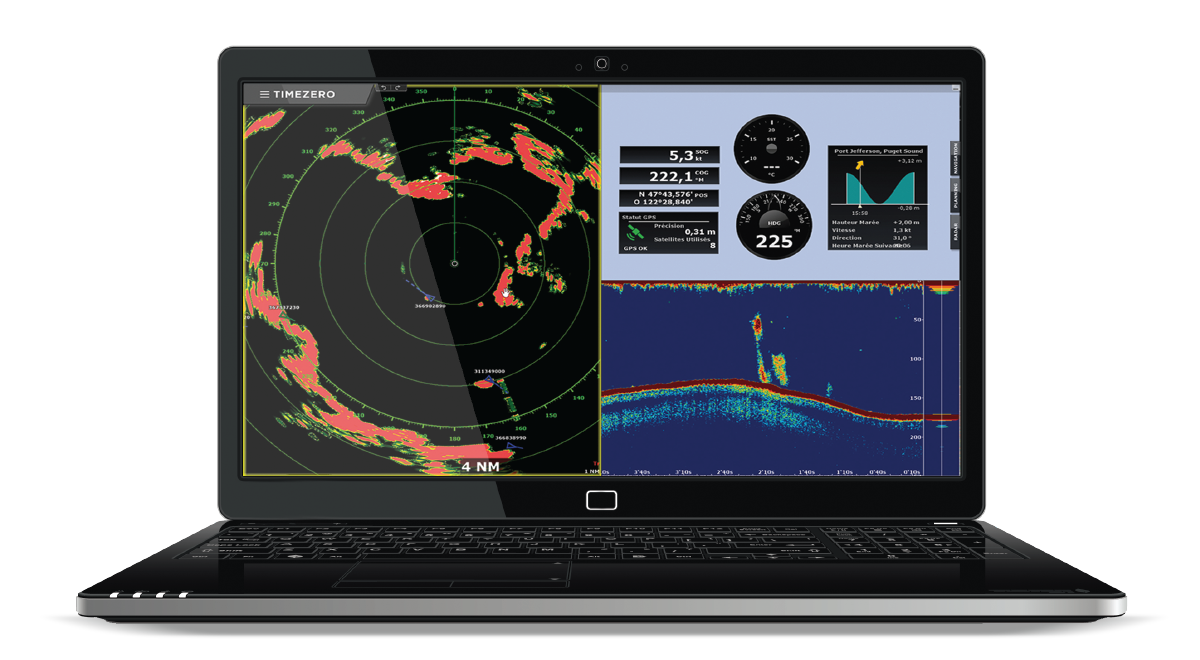
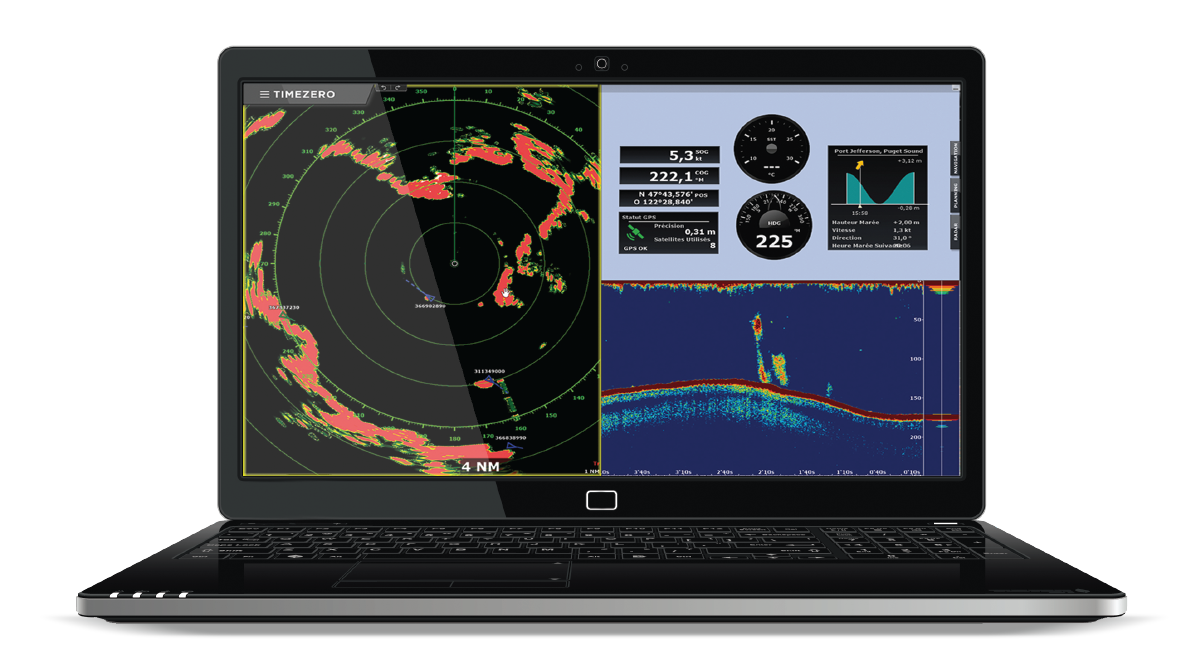
The AIS/ARPA Targets feature in TZ PROFESSIONAL receives and displays AIS and ARPA signals (via NMEA 0183 or Ethernet radar) directly on the chart and in detailed target lists. You can record unlimited AIS/ARPA tracks, monitor key data such as speed, heading, CPA and TCPA, and set anti-collision alarms. This real-time vessel-tracking capability greatly enhances situational awareness and supports safer operations in busy or restricted navigation areas.
Secure Cloud Sync Across Platforms
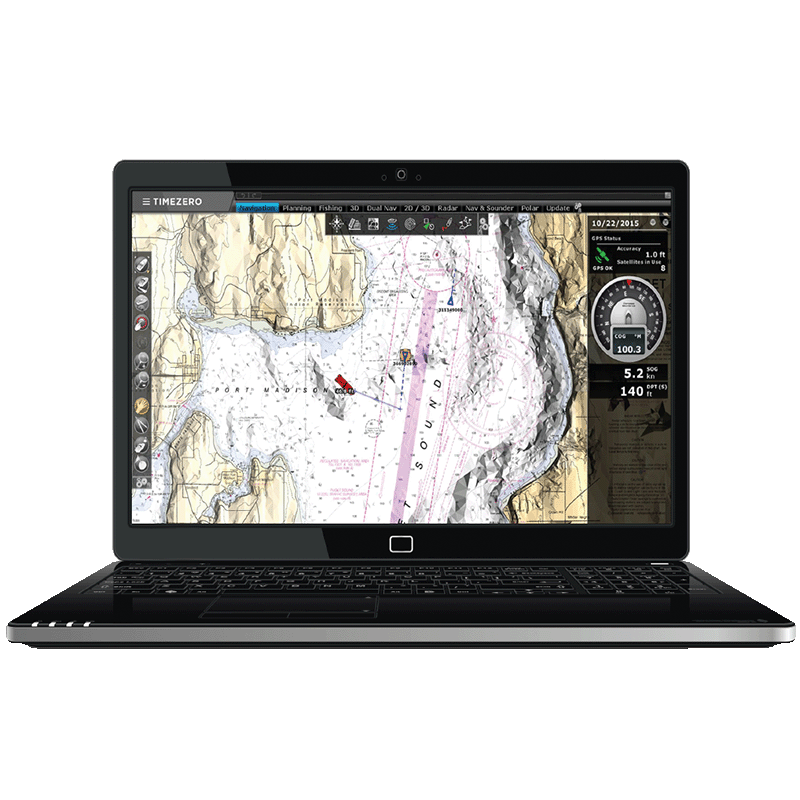
TZ PROFESSIONAL supports the TZ Cloud service, which automatically saves and synchronizes your navigation data—such as routes, marks, boundaries, annotations and photos—whenever an Internet connection is available. This real-time synchronization keeps your information securely backed up and shared across all TIMEZERO platforms and compatible FURUNO NavNet TZtouch MFDs, ensuring continuous access to your essential navigation data across devices.
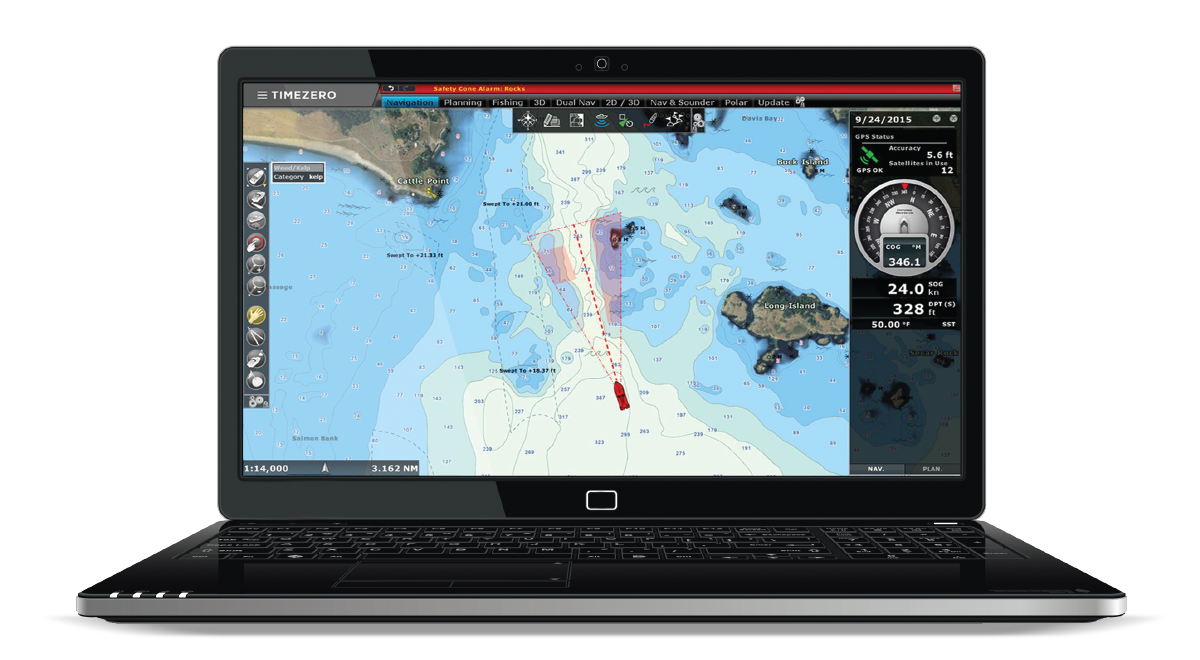
Security Cone Depth Awareness
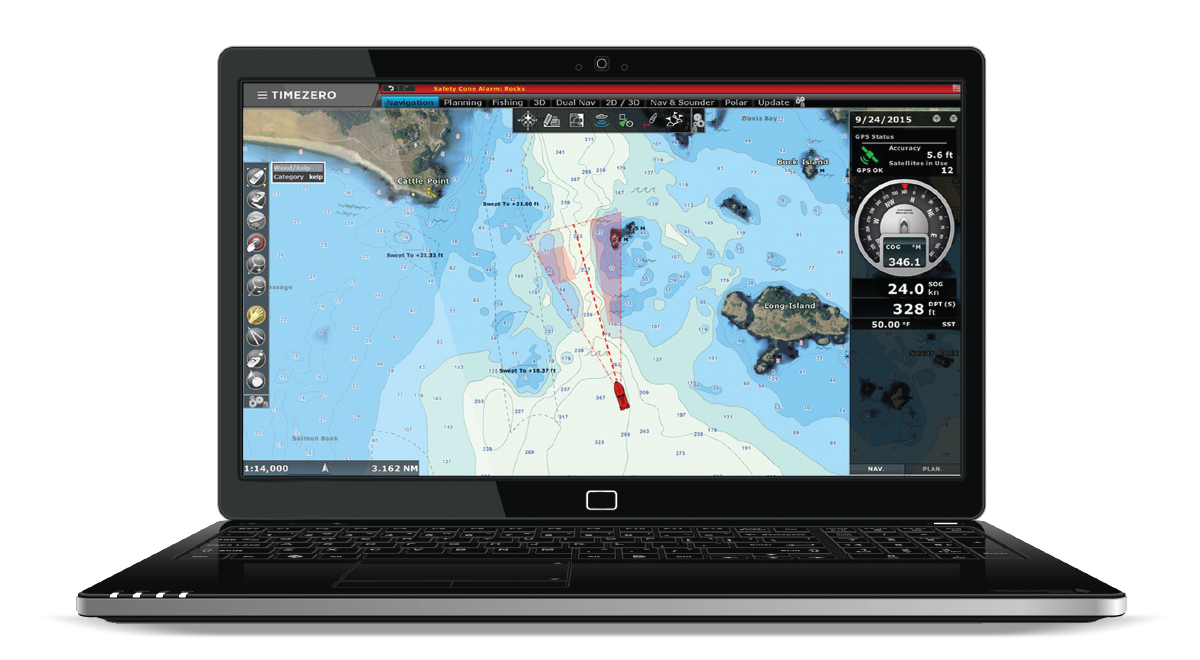
Security Cone in TZ PROFESSIONAL displays a visual under-keel safety zone based on your vessel’s draught, extending ahead of your course to highlight safe water depths. As you move, the cone overlays your chart, making it easy to spot shallow or risky areas before you enter them. This feature enhances navigational safety by helping prevent groundings and ensuring clear under-keel clearance at all times.
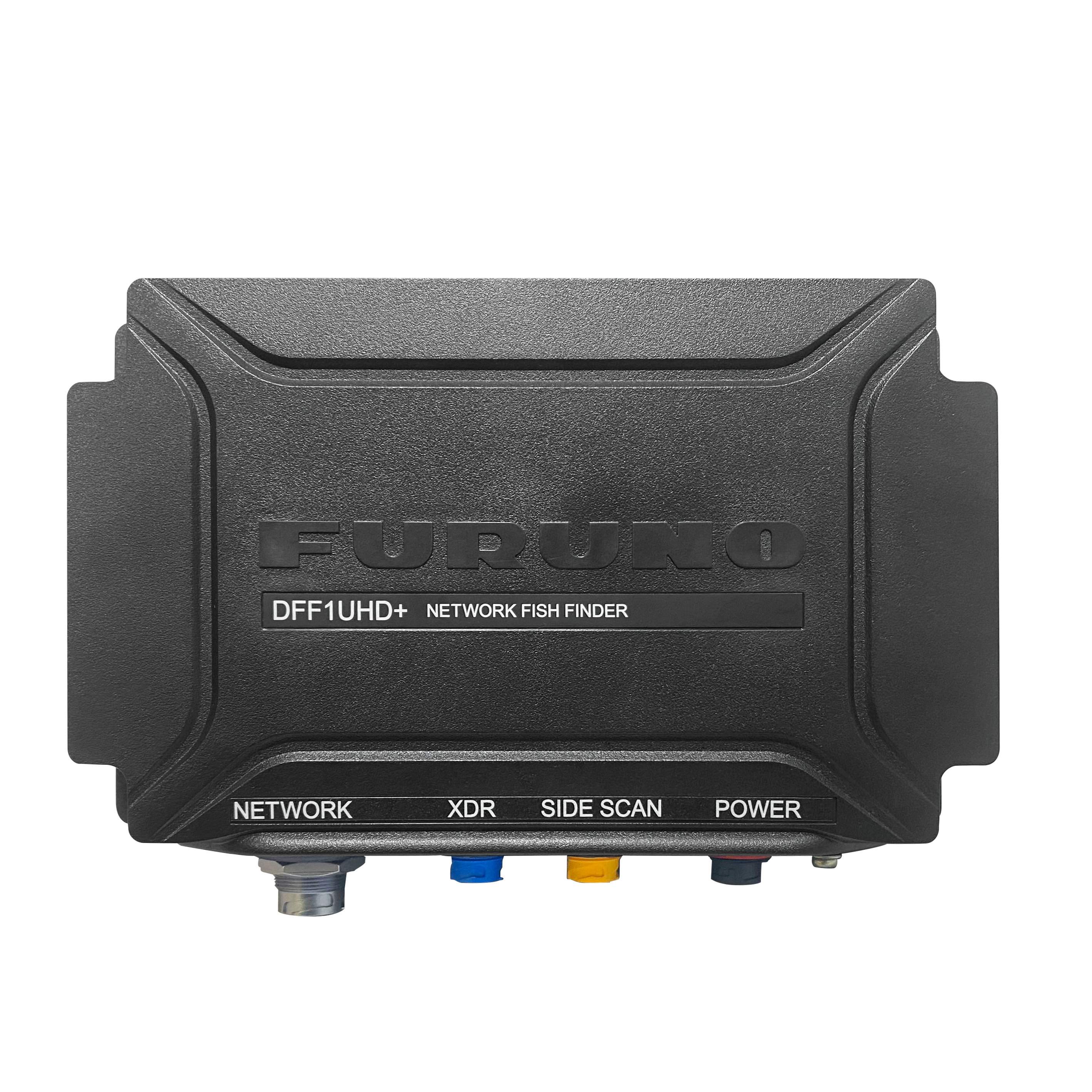
TIMEZERO now fully compatible with Furuno DFF1‑UHD+
TIMEZERO (from version 5.4) brings full support for the new Furuno DFF1‑UHD+, delivering ultra‑high‑definition sonar, improved target separation, and detailed seabed imaging across TZ Professional and TZ Navigator.
- Standard Supply
- Option
- Mandatory
- Spares
| Name | Reference | Type | Short Description | ||
| TZ MAPS Chart |
MAX-TZMAPS |
Chart | TZ MAPS is a revolutionary nautical chart format combining Raster and Vector data with land info, satellite photos, and advanced features for FURUNO and TIMEZERO systems. | ||
|
Stock available the
Please contact nearest dealer
|
|||||
| Bottom Hardness Module |
MAX-BOTTOMHARDNESS |
Module | Bottom Hardness Module analyzes echosounder data in TZ PROFESSIONAL to visualize seabed composition and hardness, improving fishing ground detection and anchoring safety. | ||
|
Stock available the
Please contact nearest dealer
|
|||||
| Camera & Augmented Reality Module |
MAX-CAMERAAR |
Module | Camera & AR Module adds real-time video overlay and target visualization to TZ PROFESSIONAL, merging live camera feeds with navigation and AIS data for enhanced safety and awareness. | ||
|
Stock available the
Please contact nearest dealer
|
|||||
| Tidal Currents Chart |
MAX-CRT |
Chart | Tidal Currents Chart provides high-resolution tidal current forecasts for TIMEZERO software, improving route planning, fuel efficiency, and navigational safety. | ||
|
Stock available the
Please contact nearest dealer
|
|||||
| Furuno DFF3D Sounder Module |
MAX-DFF3D |
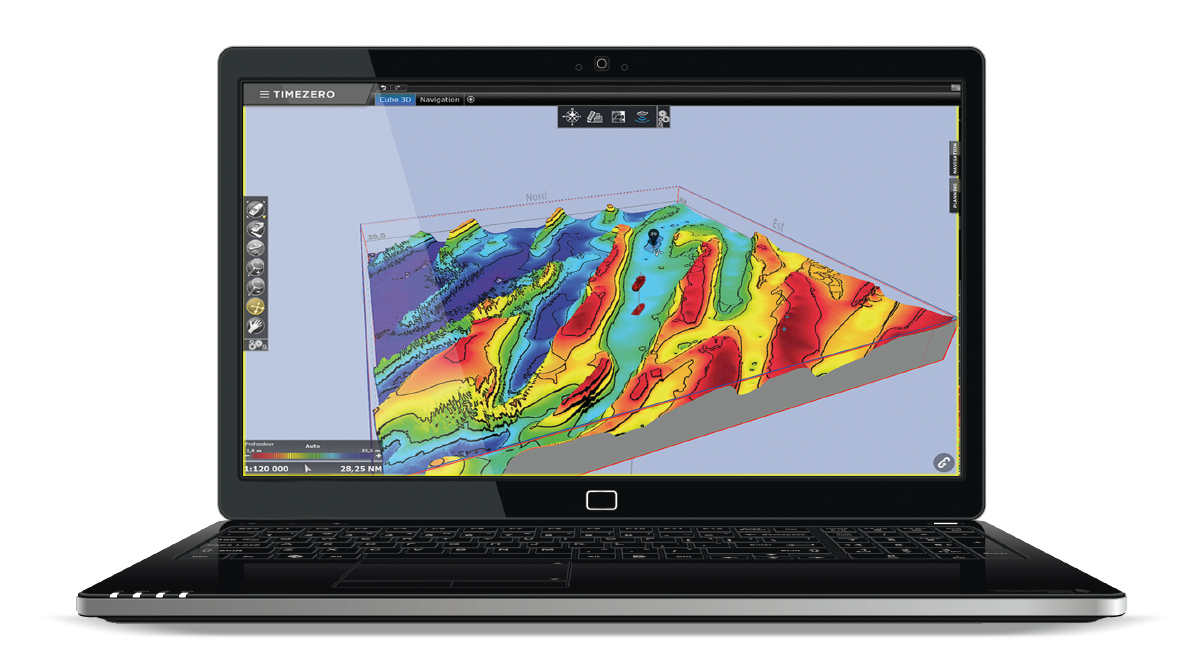
Module | Furuno DFF3D Sounder Module connects TIMEZERO software with the FURUNO DFF3D multibeam sounder for real-time 3D seabed mapping, fish detection, and enhanced fishing efficiency. | ||
|
Stock available the
Please contact nearest dealer
|
|||||
| MM3D Charts |
MAX-WIDE |
Chart | MM3D Charts are high-definition marine charts for TIMEZERO and FURUNO systems, available in Raster or Vector formats, offering wide coverage and precise, up-to-date navigation data. | ||
|
Stock available the
Please contact nearest dealer
|
|||||
| Premium Ocean-O Service |
MAX-OCEANOPREMIUM |
Module | Premium Ocean-O Service provides multi-day, high-resolution oceanographic forecasts for TZ PROFESSIONAL, including currents, temperature, salinity, and other data to optimize fishing and routing. | ||
|
Stock available the
Please contact nearest dealer
|
|||||
| PBG Module |
MAX-PBG |
Module | PBG Module for TZ PROFESSIONAL records real-time depth data to create and update 3D bathymetric maps, delivering precise seabed visualization and superior survey accuracy. | ||
|
Stock available the
Please contact nearest dealer
|
|||||
| Radar Module |
MAX-RADAR |
Module | Radar Module connects TZ PROFESSIONAL and TZ NAVIGATOR with FURUNO DRS and FAR radars, offering full control, chart overlay, ARPA tracking, and superior situational awareness. | ||
|
Stock available the
Please contact nearest dealer
|
|||||
| Weather Routing Module |
MAX-ROUTING |
Module | Weather Routing Module for TIMEZERO software calculates optimal sailboat routes using forecasts, currents, and wave data to enhance safety, performance, and route efficiency. | ||
|
Stock available the
Please contact nearest dealer
|
|||||
| S57/S63 Module |
MAX-S63 |
Module | S57/S63 Module for TZ PROFESSIONAL supports official S-57 and S-63 ENC charts with secure key handling and updates, ensuring certified and compliant navigation data. | ||
|
Stock available the
Please contact nearest dealer
|
|||||
| Furuno Sounder Module |
MAX-SOUNDER |
Module | Furuno Sounder Module links TIMEZERO software with FURUNO sounders to display real-time echograms, fish size data, and bottom type analysis within integrated chart workspaces. | ||
|
Stock available the
Please contact nearest dealer
|
|||||
| Trawl Positioning Module |
MAX-TRAWLPOSITIONING |
Module | Trawl Positioning Module for TZ PROFESSIONAL displays real-time trawl gear data from sensors to monitor depth, spread, and position, improving fishing safety and efficiency. | ||
|
Stock available the
Please contact nearest dealer
|
|||||
| TZ FLEET MANAGEMENT |
MAX-TZFLEET |
Module | TZ Fleet Management for TZ PROFESSIONAL enables real-time fleet tracking, position sharing, and User Object exchange, improving coordination, safety, and communication at sea. | ||
|
Stock available the
Please contact nearest dealer
|
|||||
| VDR Module |
MAX-VDR |
Module | VDR Module for TZ PROFESSIONAL records navigation data—position, radar, and AIS—for up to 30 days, allowing playback and analysis to improve safety and voyage review. | ||
|
Stock available the
Please contact nearest dealer
|
|||||
| WASSP Module |
MAX-WASSP |
Module | WASSP Module for TZ PROFESSIONAL connects to WASSP multibeam echosounders to record detailed depth and bottom data, display 3D and side-scan views, and enhance seabed mapping. | ||
|
Stock available the
Please contact nearest dealer
|
|||||
| DFF1-UHD+ |
00010087620 |
Connectable Product | The DFF1-UHD+ (DFF1-UHDPLUS) is a Black Box TruEcho CHIRP™ with Side Scan delivers advanced sonar technology with a wide frequency range, adjustable power up to 1 kW, and deep-water coverage reaching 1 200 m. | ||
|
Stock available the
Please contact nearest dealer
|
|||||
Name
Reference
Type
Short Description
MAX-TZMAPS
MAX-BOTTOMHARDNESS
MAX-CAMERAAR
MAX-CRT
MAX-DFF3D
MAX-WIDE
MAX-OCEANOPREMIUM
MAX-PBG
MAX-RADAR
MAX-ROUTING
MAX-S63
MAX-SOUNDER
MAX-TRAWLPOSITIONING
MAX-TZFLEET
MAX-VDR
MAX-WASSP
00010087620
TZ Professional V5 - Official Video
Download all the necessary documents
High-fidelity wireframes are often used for documenting because they incorporate.
Product Advantages
Designed for Professional Mariners: Tailored to meet the navigation needs of commercial fishing, workboats, racing, and sport fishing.
Cutting-Edge Technology: Combines supreme control and performance for demanding operations at sea.
Compatibility with Official S-63 Charts: Ensures up-to-date, encrypted charts following IMO standards for maximum safety.
Advanced Route Management: Simplifies planning and monitoring of navigation routes.
Dedicated Workspaces: Customizable interfaces for different activities and workflows.
Multi-Monitor Support: Up to 3 independent workspaces across multiple screens for enhanced productivity.
Real-Time AIS & ARPA Target Tracking: Improves situational awareness and collision avoidance.
Weather & Ocean Data Integration: Access premium weather forecasts and oceanographic data for optimal decision-making.
Cloud Synchronization: Seamless data sharing and backup across devices.
Modular Architecture: Expand capabilities with specialized modules (e.g., Furuno Sounder, Multibeam, Trawl Positioning, Radar, Augmented Reality).
Fishing-Specific Tools: Includes PBG, bottom hardness analysis, and trawl positioning for commercial fishing operations.
TIMEZERO v5.4 Now Fully Compatible with Furuno DFF1‑UHD+
High Performance Chart Engine: Fast and smooth chart rendering for efficient navigation.
Security Features: AIS security cone for enhanced safety monitoring.
User-Friendly Interface: Intuitive design for easy management of navigation data and instruments.
Comprehensive Support: Access to curated manuals and user guides for reliable operation and safety.
| Feature | Description | Units | |||
BASE SOFTWARE FEATURES |
|||||
|
Stock available the
Please contact nearest dealer
|
|||||
| "Quick Action" NavData allows to configure any actions to a button |
✅ |
||||
|
Stock available the
Please contact nearest dealer
|
|||||
| Accurate mm3d High Resolution Satellite Photos for Bahamas and Europe |
✅ |
||||
|
Stock available the
Please contact nearest dealer
|
|||||
| Advanced AIS Management (Target Activation) |
✅ |
||||
|
Stock available the
Please contact nearest dealer
|
|||||
| Advanced Events Management |
✅ |
||||
|
Stock available the
Please contact nearest dealer
|
|||||
| Advanced Professional User Interface |
✅ |
||||
|
Stock available the
Please contact nearest dealer
|
|||||
| Advanced Route Planning Wizard (Route Departure Time Optimization according to Tidal Current) |
✅ |
||||
|
Stock available the
Please contact nearest dealer
|
|||||
| AIS and MARPA Graphic CPA |
✅ |
||||
|
Stock available the
Please contact nearest dealer
|
|||||
| AIS and MARPA Target Display (with targets list) |
✅ |
||||
|
Stock available the
Please contact nearest dealer
|
|||||
| AIS Fishing Mode |
✅ |
||||
|
Stock available the
Please contact nearest dealer
|
|||||
| AIS Marine Traffic compatibility (Global AIS feed through an Internet connection) |
✅ |
||||
|
Stock available the
Please contact nearest dealer
|
|||||
| AIS messages can be sent and received (addressed “normal” and “safety” messages) |
✅ |
||||
|
Stock available the
Please contact nearest dealer
|
|||||
| AIS MKD allowing to set Voyage Data and Navigational Status (Moored, Navigation…) |
✅ |
||||
|
Stock available the
Please contact nearest dealer
|
|||||
| Alarm Zone NavData (know at any time the closest alarm zone) |
✅ |
||||
|
Stock available the
Please contact nearest dealer
|
|||||
| Alarms (Anchor Alarm, CPA/TCPA Alarm, Depth Alarm, and more…) |
✅ |
||||
|
Stock available the
Please contact nearest dealer
|
|||||
| Anti-Grounding Cone |
✅ |
||||
|
Stock available the
Please contact nearest dealer
|
|||||
| AutomaticTarget Trail |
✅ |
||||
|
Stock available the
Please contact nearest dealer
|
|||||
| Autopilot Output Connection |
✅ |
||||
|
Stock available the
Please contact nearest dealer
|
|||||
| Connection to Instruments: NMEA0183, NMEA2000 (via Actisense NGT1-USB) or Furuno NavNet Network (for Navigation Data Only) |
✅ |
||||
|
Stock available the
Please contact nearest dealer
|
|||||
| Day, Dusk and Night Mode |
✅ |
||||
|
Stock available the
Please contact nearest dealer
|
|||||
| Depth Shading (color according to depth overlaid on the chart) |
✅ |
||||
|
Stock available the
Please contact nearest dealer
|
|||||
| Digital Selective Calling (DSC) and Man Over Board (MOB) |
✅ |
||||
|
Stock available the
Please contact nearest dealer
|
|||||
| Dual or Triple monitors extended mode |
✅ |
||||
|
Stock available the
Please contact nearest dealer
|
|||||
| Event NavData allows to quickly drop event with the mouse |
✅ |
||||
|
Stock available the
Please contact nearest dealer
|
|||||
| Exclusive TIMEZERO Chart Engine (2D and 3D View with Seamless Chart Redraw without limited range presets) |
✅ |
||||
|
Stock available the
Please contact nearest dealer
|
|||||
| Exclusive TIMEZERO PhotoFusion (intelligent mix of satellite photos and nautical charts) |
✅ |
||||
|
Stock available the
Please contact nearest dealer
|
|||||
| Fishing Buoys |
✅ |
||||
|
Stock available the
Please contact nearest dealer
|
|||||
| Fleet Tracking ("PosRep" files support) |
✅ |
||||
|
Stock available the
Please contact nearest dealer
|
|||||
| Fuel Management (Fuel Range Ring, Route Warning, Distance to Empty, Time to Empty) |
✅ |
||||
|
Stock available the
Please contact nearest dealer
|
|||||
| Layer and Marks Management (including presets allowing customer to create “group” of layers) |
✅ |
||||
|
Stock available the
Please contact nearest dealer
|
|||||
| Loran C & Decca grid |
✅ |
||||
|
Stock available the
Please contact nearest dealer
|
|||||
| Lost Sensor Alarm |
✅ |
||||
|
Stock available the
Please contact nearest dealer
|
|||||
| Marks, Waypoints, Routes Boundaries, Lines, Annotations & Photos (User Objects) |
✅ |
||||
|
Stock available the
Please contact nearest dealer
|
|||||
| mm3d High Resolution 3D bathy (on selected area only) |
Optional |
||||
|
Stock available the
Please contact nearest dealer
|
|||||
| mm3d Raster or Vector chart compatibility (from various manufacturers such as C-MAP or MapMedia) |
✅ |
||||
|
Stock available the
Please contact nearest dealer
|
|||||
| Multi-level Undo & Redo |
✅ |
||||
|
Stock available the
Please contact nearest dealer
|
|||||
| Ocean Data Service (Sea Surface Temperature, Plankton, Altimetry, etc.) |
✅ |
||||
|
Stock available the
Please contact nearest dealer
|
|||||
| Ocean-O Premium Data Service (Higher Resolution, Multi-Layer Data and Custom Filters) |
Optional |
||||
|
Stock available the
Please contact nearest dealer
|
|||||
| Odometer NavData (Duration, Distance, Max Speed, Average Speed) |
✅ |
||||
|
Stock available the
Please contact nearest dealer
|
|||||
| Optional Western European High Resolution Tidal Current (refer to chart catalog for availability) |
Optional |
||||
|
Stock available the
Please contact nearest dealer
|
|||||
| Own Ship and Targets (AIS and ARPA) Alarm Zones |
✅ |
||||
|
Stock available the
Please contact nearest dealer
|
|||||
| Planning Route Safety Check |
✅ |
||||
|
Stock available the
Please contact nearest dealer
|
|||||
| POIs: ActiveCaptain (Interactive Cruising Guidebook) |
✅ |
||||
|
Stock available the
Please contact nearest dealer
|
|||||
| POIs: Import your own Photos ("My Pictures") with Automatic Geolocation |
✅ |
||||
|
Stock available the
Please contact nearest dealer
|
|||||
| Print Route Feature |
✅ |
||||
|
Stock available the
Please contact nearest dealer
|
|||||
| Search & Rescue (SAR) route Patterns |
✅ |
||||
|
Stock available the
Please contact nearest dealer
|
|||||
| Supported PC Operating Systems: Microsoft® Windows® 10/11 (64-bit operating system) |
✅ |
||||
|
Stock available the
Please contact nearest dealer
|
|||||
| Supported PC Operating Systems: Microsoft® Windows® 10/11 (64-bit operating system) |
✅ |
||||
|
Stock available the
Please contact nearest dealer
|
|||||
| Synchronization of User Objects (Local and Cloud synchronization) among compatible TIMEZERO Platforms) |
✅ |
||||
|
Stock available the
Please contact nearest dealer
|
|||||
| Target Track Recording |
✅ |
||||
|
Stock available the
Please contact nearest dealer
|
|||||
| Tidal Currents for North America |
✅ |
||||
|
Stock available the
Please contact nearest dealer
|
|||||
| Track Line Coloring (according to SST, Speed, Depth...) |
✅ |
||||
|
Stock available the
Please contact nearest dealer
|
|||||
| TRIPS feature |
✅ |
||||
|
Stock available the
Please contact nearest dealer
|
|||||
| TZ MAPS compatibility (Vector, Raster when available, detailed land information, high-resolution satellite photos and high-resolution Bathymetry) |
✅ |
||||
|
Stock available the
Please contact nearest dealer
|
|||||
| Unlimited Track Recording (with track recall feature) |
✅ |
||||
|
Stock available the
Please contact nearest dealer
|
|||||
| Unlimited User Objects (4) |
✅ |
||||
|
Stock available the
Please contact nearest dealer
|
|||||
| User interface adapted to small touch screens (both software are compatible) |
✅ |
||||
|
Stock available the
Please contact nearest dealer
|
|||||
| Weather Data Service (Rain, Cloud, Air Temperature, Wind, Waves, Oceanic Currents, Pressure) |
✅ |
||||
|
Stock available the
Please contact nearest dealer
|
|||||
| Weather Forecast, Tides and Currents Animation |
✅ |
||||
|
Stock available the
Please contact nearest dealer
|
|||||
| Worldwide 3D Database (base map) |
✅ |
||||
|
Stock available the
Please contact nearest dealer
|
|||||
| Worldwide Place Name Search |
✅ |
||||
|
Stock available the
Please contact nearest dealer
|
|||||
| Worldwide Planning Charts (base map) |
✅ |
||||
|
Stock available the
Please contact nearest dealer
|
|||||
| Worldwide Tide Database |
✅ |
||||
|
Stock available the
Please contact nearest dealer
|
|||||
PRODUCT |
|||||
|
Stock available the
Please contact nearest dealer
|
|||||
| Brand |
TIMEZERO |
||||
|
Stock available the
Please contact nearest dealer
|
|||||
| Type |
Marine software |
||||
|
Stock available the
Please contact nearest dealer
|
|||||
Feature
Description
Units
BASE SOFTWARE FEATURES
✅
✅
✅
✅
✅
✅
✅
✅
✅
✅
✅
✅
✅
✅
✅
✅
✅
✅
✅
✅
✅
✅
✅
✅
✅
✅
✅
✅
✅
✅
✅
✅
Optional
✅
✅
✅
Optional
✅
Optional
✅
✅
✅
✅
✅
✅
✅
✅
✅
✅
✅
✅
✅
✅
✅
✅
✅
✅
✅
✅
✅
✅
✅
PRODUCT
TIMEZERO
Marine software